
Intro: CRM Software for Small Businesses
Running a small business means juggling customer inquiries, following up on leads, tracking sales, and maintaining strong relationships—all while trying to grow your business. As your customer base expands, managing everything with spreadsheets or scattered notes quickly becomes inefficient. That's where Customer Relationship Management (CRM) software can make a significant difference.
The best CRM software helps you organize customer information, manage sales pipelines, automate repetitive tasks, improve team collaboration, and deliver better customer experiences. Whether you're a freelancer, startup founder, agency owner, online retailer, or growing small business, choosing the right CRM can save time, increase productivity, and help close more deals..
In this comprehensive guide, we've compared the 15 best CRM software solutions for small businesses in 2026. You'll discover each platform's key features, pricing, advantages, disadvantages, ideal use cases, and overall value to help you make an informed decision. We've included both free and paid CRM options, making it easy to find a solution that fits your budget and business needs.
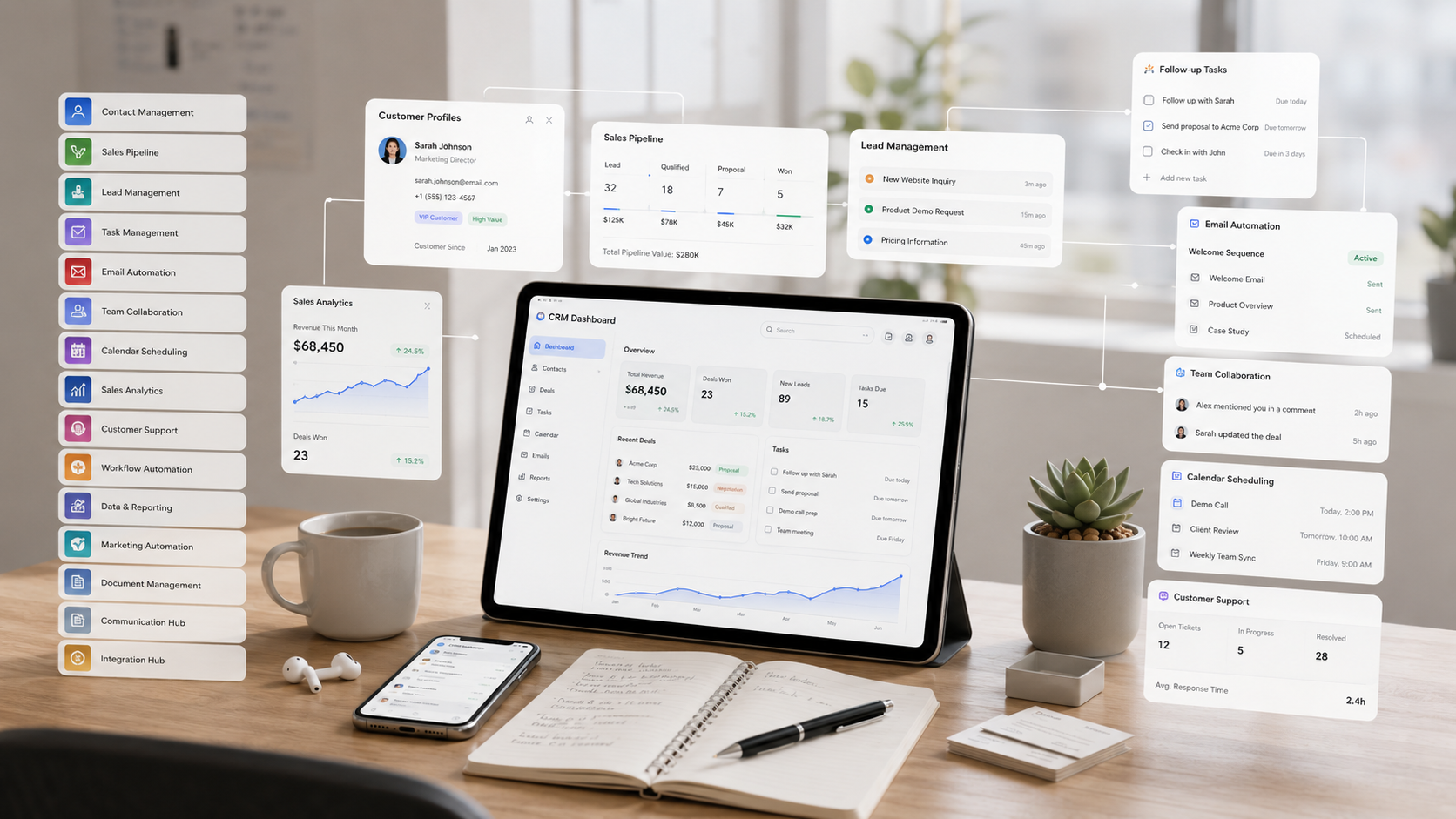
What Is CRM Software?
Customer Relationship Management (CRM) software is a tool that helps businesses organize customer information, manage interactions, track sales opportunities, and build stronger relationships with existing and potential customers. Instead of relying on spreadsheets, sticky notes, or scattered emails, a CRM stores all customer-related data in one centralized location, making it easier for teams to access important information whenever they need it.
Modern CRM software goes beyond simple contact management. It helps businesses monitor sales pipelines, automate repetitive tasks, schedule follow-ups, send personalized emails, generate reports, and gain valuable insights into customer behavior. Whether you're running a startup, a local business, or a growing company, a CRM can streamline daily operations and improve overall efficiency.
By giving your sales, marketing, and customer support teams access to the same customer data, CRM software ensures everyone stays informed and works together more effectively. This leads to better customer experiences, improved communication, and increased business growth over time.
What Does CRM Stand For?
CRM stands for Customer Relationship Management. It refers to the strategies, processes, and technologies businesses use to manage interactions with current customers and potential leads throughout the entire customer journey
The primary goal of CRM is to build long-lasting customer relationships by keeping track of every interaction, including emails, phone calls, meetings, purchases, support requests, and follow-up activities. Instead of searching through multiple systems or trying to remember previous conversations, businesses can view a complete customer history in a single dashboard.
Today, CRM software is used by businesses of all sizes, including startups, freelancers, agencies, consultants, online stores, healthcare providers, educational institutions, and enterprise organizations. Regardless of industry, a CRM helps businesses deliver personalized service while improving productivity and customer satisfaction.
How Does CRM Software Work?
CRM software works by collecting, organizing, and managing customer information in a centralized database. Every time a customer fills out a contact form, sends an email, makes a purchase, schedules a meeting, or contacts support, the CRM records that interaction and updates the customer's profile automatically or manually.
Most CRM platforms organize the sales process into visual pipelines that show where each prospect is in the buying journey. Businesses can move leads through different stages, assign tasks to team members, schedule follow-ups, and set reminders so that no opportunity is overlooked.
Modern CRM systems also include powerful automation features that reduce repetitive work. For example, they can automatically send welcome emails, notify sales representatives when a lead responds, assign new inquiries to the appropriate team member, create follow-up tasks, and generate invoices or proposals through integrations.
In addition, CRM software provides dashboards and reports that help businesses analyze sales performance, monitor team productivity, measure marketing campaigns, forecast revenue, and identify areas for improvement. These insights enable better decision-making based on real-time data rather than guesswork.
Why Is CRM Important for Small Businesses?
For small businesses, every customer relationship matters. Missing a follow-up, losing contact information, or forgetting a sales opportunity can result in lost revenue. CRM software helps prevent these problems by keeping all customer data organized, accessible, and up to date.
A CRM improves organization by storing customer details, communication history, appointments, documents, and sales activities in one secure location. This eliminates the need to switch between spreadsheets, notebooks, email inboxes, and messaging apps while ensuring the entire team has access to accurate information.
CRM software also plays a major role in customer retention. By tracking customer preferences, purchase history, and previous interactions, businesses can provide more personalized experiences, respond quickly to inquiries, and maintain stronger long-term relationships. Satisfied customers are more likely to return, make repeat purchases, and recommend your business to others.
In addition, CRM systems contribute directly to sales growth by helping businesses identify high-quality leads, prioritize opportunities, automate follow-ups, shorten the sales cycle, and monitor conversion rates. With better visibility into every stage of the customer journey, small businesses can make informed decisions, improve productivity, and scale their operations more efficiently.
Benefits of Using CRM Software
Implementing CRM software offers far more than simply storing customer contact information. It helps businesses streamline operations, strengthen customer relationships, improve communication across teams, and make data-driven decisions. Whether you're managing a handful of clients or thousands of customers, a CRM can increase efficiency while supporting long-term business growth.
From automating repetitive tasks to providing valuable insights into customer behavior, modern CRM platforms enable businesses to deliver better experiences while saving time and reducing manual work. Here are some of the biggest benefits of using CRM software.
Better Customer Relationship Management
One of the primary benefits of CRM software is its ability to help businesses build and maintain stronger customer relationships. Every interaction—including emails, phone calls, meetings, purchases, and support requests—is stored in a centralized customer profile, giving your team a complete view of each customer's history.
With easy access to this information, employees can provide more personalized service, respond to inquiries faster, and better understand each customer's needs. Stronger relationships often lead to higher customer satisfaction, increased loyalty, and more repeat business.
Increased Sales Opportunities
CRM software helps businesses identify, organize, and manage sales opportunities more effectively. Instead of tracking leads through spreadsheets or manual notes, sales teams can monitor every prospect through a visual sales pipeline and quickly see where each opportunity stands.
Features such as lead scoring, follow-up reminders, opportunity tracking, and sales forecasting help ensure promising leads don't fall through the cracks. By staying organized and responding at the right time, businesses can improve conversion rates and close more deals.
Improved Team Collaboration
As businesses grow, multiple departments often interact with the same customers. Sales representatives, marketers, customer support agents, and account managers all need access to accurate customer information.
CRM software creates a centralized workspace where everyone can view customer histories, notes, tasks, appointments, and previous communications. This improves collaboration, reduces duplicate work, and ensures that every team member stays informed, resulting in a more consistent customer experience.
Sales Automation
Many daily sales tasks are repetitive and time-consuming. CRM software automates these routine activities, allowing teams to focus on building relationships and closing deals rather than performing manual administrative work.
Automation features can schedule follow-up reminders, assign new leads, send welcome emails, update customer records, trigger workflow notifications, and move deals through the sales pipeline automatically. These capabilities save time, reduce human error, and improve overall productivity.
Better Reporting and Analytics
Modern CRM platforms provide powerful dashboards and reporting tools that help businesses understand how their sales and customer service efforts are performing. Instead of relying on assumptions, managers can make informed decisions using real-time business data.
Reports can track sales performance, lead conversion rates, customer acquisition, revenue forecasts, marketing campaign effectiveness, and employee productivity. These insights help businesses identify strengths, uncover opportunities for improvement, and develop more effective growth strategies.
Faster Customer Support
Providing fast and efficient customer support is essential for maintaining customer satisfaction and loyalty. CRM software gives support teams immediate access to customer profiles, previous conversations, purchase history, and open support cases, allowing them to resolve issues more quickly.
Many CRM solutions also integrate with help desk systems, live chat, email, and knowledge bases, making it easier to manage customer requests from multiple channels in one place. Faster response times and more personalized support contribute to stronger customer relationships and a better overall experience.
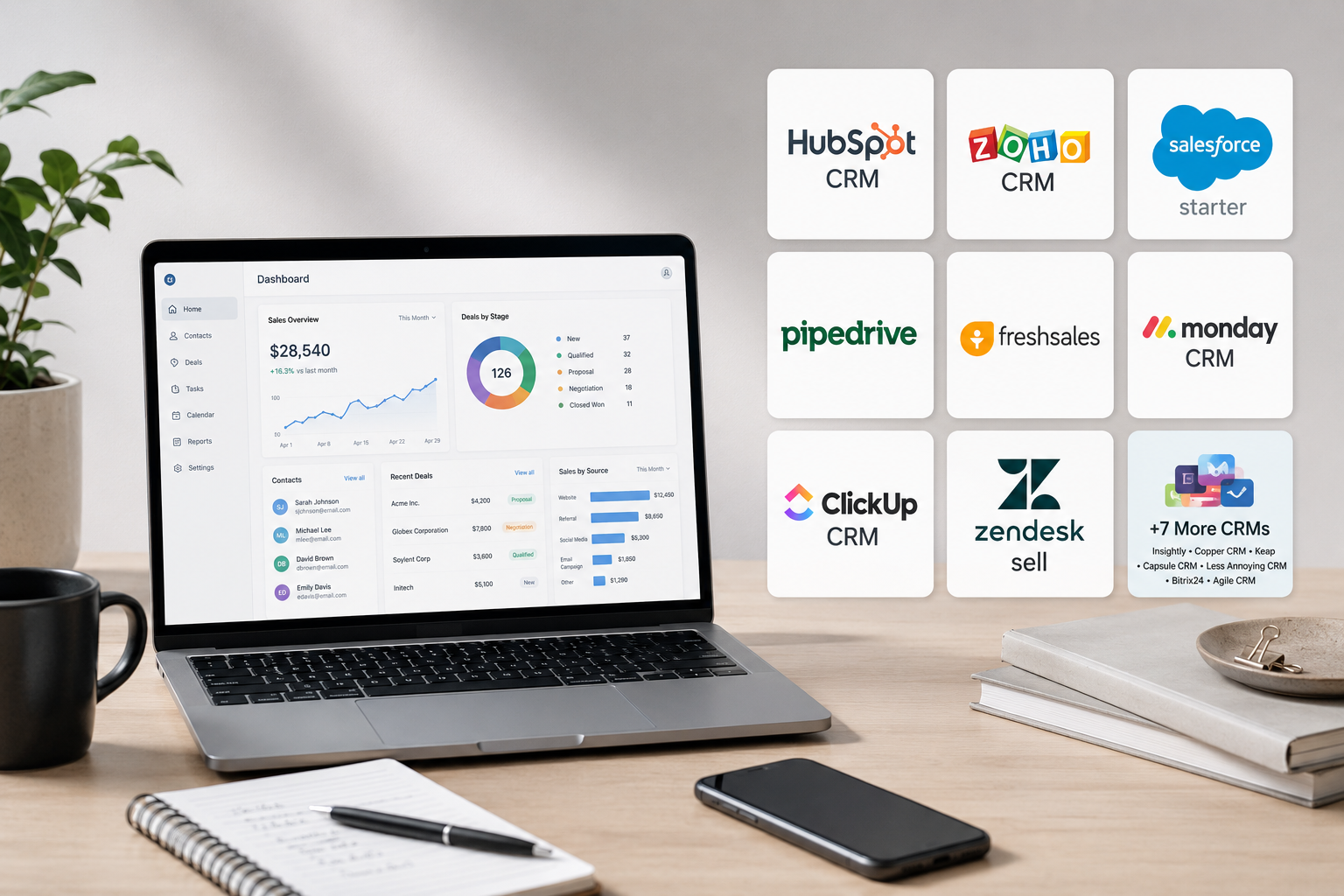
15 Best CRM Software for Small Businesses
Choosing the right CRM can help you organize customer information, streamline sales processes, automate repetitive tasks, and build stronger relationships with your clients. Below are our top CRM software recommendations for small businesses based on features, ease of use, pricing, scalability, and overall value.
1. HubSpot CRM
Why We Picked It
HubSpot CRM is our top overall choice because it combines an intuitive interface with powerful sales, marketing, and customer service tools. Its generous free plan, easy setup, and scalable features make it an excellent option for startups and growing small businesses.
Key Features
- Free CRM with unlimited users
- Contact and lead management
- Visual sales pipeline
- Email tracking and notifications
- Meeting scheduler
- Live chat and chatbot tools
- Marketing automation
- Reporting dashboards
- AI-powered sales assistance
- Integrates with hundreds of popular business apps
Pros
- Generous free plan with essential CRM features
- User-friendly interface suitable for beginners
- Excellent marketing and sales automation
- Large integration marketplace
- Scales easily as your business grows
Key Limitations
- Advanced automation requires higher-tier plans
- Premium features can become expensive for larger teams
- Some customization options are limited on the free plan
Pricing
HubSpot CRM offers a free plan with core CRM features. Paid plans are available for businesses that need advanced sales, marketing, customer service, and automation capabilities.
Best For
Startups, freelancers, small businesses, and growing teams looking for an easy-to-use CRM with a powerful free plan and room to scale.
Our Rating
9.8/10 — Best Overall CRM for Small Businesses.
2. Zoho CRM
Why We Picked It
Zoho CRM stands out for its affordability, extensive customization options, and comprehensive feature set. It offers powerful sales automation, AI-powered insights, and seamless integration with the Zoho ecosystem, making it an excellent choice for small businesses planning to scale.
Key Features
- Lead and contact management
- Visual sales pipeline
- Workflow automation
- AI sales assistant (Zia)
- Email marketing integration
- Sales forecasting
- Custom dashboards and reports
- Mobile CRM app
- Multi-channel communication
- Integration with the Zoho business suite
Pros
- Excellent value for money
- Highly customizable workflows
- Strong automation capabilities
- Comprehensive reporting tools
- Wide range of third-party integrations
Key Limitations
- User interface may feel overwhelming for beginners
- AI features are limited to higher-tier plans
- Some advanced features require additional configuration
Pricing
Zoho CRM offers a free plan for small teams, with paid plans available for businesses that require advanced automation, AI features, analytics, and enterprise-level customization.
Best For
Small businesses, startups, growing sales teams, and organizations looking for an affordable yet feature-rich CRM platform.
Our Rating
9.6/10 — Best Value CRM for Growing Small Businesses.
3. Salesforce Starter
Why We Picked It
Salesforce Starter brings the power of the world's leading CRM platform to small businesses with a simplified experience. It offers robust sales tools, automation, and reporting while providing a clear upgrade path as your business expands.
Key Features
- Lead and opportunity management
- Contact and account management
- Sales pipeline tracking
- Email integration and templates
- Workflow automation
- Custom dashboards and reports
- AI-powered sales insights
- Mobile CRM application
- AppExchange marketplace integrations
- Scalable cloud-based platform
Pros
- Industry-leading CRM platform
- Powerful reporting and analytics
- Excellent scalability for growing businesses
- Extensive integration ecosystem
- Strong automation and customization options
Key Limitations
- Higher pricing than many competitors
- Learning curve for first-time CRM users
- Advanced features may require additional subscriptions
Pricing
Salesforce Starter offers entry-level pricing for small businesses, with premium plans available for advanced automation, AI capabilities, and enterprise-grade CRM functionality.
Best For
Growing small businesses, B2B sales teams, and organizations that need a highly scalable CRM with enterprise-level capabilities.
Our Rating
9.5/10 — Best Scalable CRM for Growing Businesses.
4. Pipedrive
Why We Picked It
Pipedrive is designed specifically for sales-focused teams that want a simple yet powerful CRM. Its visual sales pipeline, automation tools, and intuitive interface help businesses track deals, manage leads, and close sales more efficiently.
Key Features
- Visual drag-and-drop sales pipeline
- Lead and contact management
- Sales automation workflows
- Email synchronization and tracking
- Activity reminders and scheduling
- Custom sales reports and dashboards
- AI-powered sales assistant
- Goal tracking and forecasting
- Mobile CRM application
- Integrations with hundreds of business tools
Pros
- Excellent visual sales pipeline
- Very easy to learn and use
- Strong automation capabilities
- Detailed sales reporting
- Wide range of integrations
Key Limitations
- No permanent free plan
- Limited built-in marketing features
- Advanced automation requires higher-tier plans
Pricing
Pipedrive offers a free trial along with multiple paid plans that scale from small businesses to larger sales teams needing advanced automation and reporting.
Best For
Sales-driven small businesses, agencies, consultants, and teams that want a simple CRM focused on pipeline management and closing more deals.
Our Rating
9.4/10 — Best CRM for Sales Pipeline Management.
5. Freshsales
Why We Picked It
Freshsales is an excellent CRM for small businesses that want built-in AI, sales automation, and communication tools without relying heavily on third-party integrations. Its clean interface and smart features help teams manage leads and close deals faster.
Key Features
- AI-powered lead scoring
- Contact and account management
- Visual sales pipeline
- Email tracking and templates
- Built-in phone and chat
- Workflow automation
- Sales forecasting and analytics
- Custom reports and dashboards
- Mobile CRM application
- Integration with the Freshworks ecosystem
Pros
- Clean and intuitive user interface
- Built-in calling, email, and chat features
- Powerful AI and automation tools
- Easy to set up and manage
- Excellent value for growing businesses
Key Limitations
- Some AI features are only available on premium plans
- Limited third-party integrations compared to larger CRM platforms
- Advanced reporting requires higher-tier subscriptions
Pricing
Freshsales offers a free plan for small teams, along with paid plans that unlock advanced AI capabilities, automation, analytics, and additional customization options.
Best For
Small businesses, startups, and sales teams looking for an easy-to-use CRM with built-in communication tools and AI-powered sales features.
Our Rating
9.3/10 — Best CRM with Built-in AI and Communication Tools.
6. Monday CRM
Why We Picked It
Monday CRM combines customer relationship management with project management, making it an excellent choice for businesses that want to manage leads, sales activities, and ongoing client work from a single platform. Its highly visual interface and flexible workflows make it easy to customize for different industries.
Key Features
- Customizable sales pipelines
- Lead and contact management
- Workflow automation
- Email synchronization
- Task and project management
- Sales forecasting and reporting
- Dashboard customization
- Team collaboration tools
- Mobile CRM application
- Integrations with popular business apps
Pros
- Modern and visually appealing interface
- Highly customizable workflows
- Excellent collaboration features
- Combines CRM and project management
- Strong automation capabilities
Key Limitations
- No permanent free plan for most business needs
- Advanced automations require premium plans
- Can become expensive as team size grows
Pricing
Monday CRM offers a free trial and several paid plans that include additional automation, integrations, reporting, and advanced collaboration features.
Best For
Service businesses, agencies, consultants, and growing teams that want to manage sales and client projects in one centralized workspace.
Our Rating
9.2/10 — Best CRM for Sales and Project Management.
7. ClickUp CRM
Why We Picked It
ClickUp CRM is ideal for businesses that want to combine CRM, project management, task tracking, and team collaboration into one platform. Its flexible workspace allows teams to customize workflows for sales, customer support, marketing, and operations without switching between multiple tools.
Key Features
- Custom CRM dashboards
- Lead and contact management
- Task and project management
- Workflow automation
- Custom fields and statuses
- Sales pipeline tracking
- Time tracking and reporting
- Team collaboration tools
- AI-powered productivity features
- Hundreds of app integrations
Pros
- Combines CRM and project management
- Highly customizable workspace
- Powerful automation capabilities
- Excellent collaboration features
- Generous free plan for small teams
Key Limitations
- Initial setup can take time
- Large number of features may overwhelm new users
- Some advanced AI features require paid plans
Pricing
ClickUp offers a generous free plan along with paid plans that unlock advanced automation, AI tools, reporting, storage, and enterprise-level collaboration features.
Best For
Small businesses, agencies, remote teams, and organizations that want to manage customer relationships, projects, and daily operations from one platform.
Our Rating
9.1/10 — Best All-in-One CRM and Productivity Platform.
8. Zendesk Sell
Why We Picked It
Zendesk Sell is an excellent CRM for businesses that prioritize customer support alongside sales. It helps sales teams manage leads, track deals, and communicate with prospects while integrating seamlessly with Zendesk's customer service platform for a complete customer experience.
Key Features
- Lead and contact management
- Visual sales pipeline
- Email tracking and templates
- Built-in calling and texting
- Sales forecasting
- Task and activity management
- Custom reporting dashboards
- Mobile CRM application
- Workflow automation
- Native integration with Zendesk Support
Pros
- Excellent integration with customer support tools
- Easy-to-use and modern interface
- Built-in communication features
- Strong sales tracking and reporting
- Reliable mobile experience
Key Limitations
- No permanent free plan
- Advanced automation is available on higher-tier plans
- Best experience requires the broader Zendesk ecosystem
Pricing
Zendesk Sell offers a free trial and multiple paid plans that include additional automation, analytics, customization, and customer support integrations.
Best For
Small businesses, customer support teams, and service-based companies that want to combine sales management with exceptional customer service.
Our Rating
9.0/10 — Best CRM for Sales and Customer Support Integration.
9. Insightly
Why We Picked It
Insightly is a great choice for small businesses that want to manage customer relationships and post-sale projects in one platform. Its combination of CRM, workflow automation, and project management tools helps teams stay organized throughout the entire customer lifecycle.
Key Features
- Lead and contact management
- Opportunity and pipeline tracking
- Project management tools
- Workflow automation
- Email integration
- Custom dashboards and reports
- Relationship linking between contacts and organizations
- Task and activity management
- Mobile CRM application
- Integration with popular business apps
Pros
- Combines CRM and project management
- Easy-to-use interface
- Strong workflow automation
- Detailed reporting and dashboards
- Good integration options
Key Limitations
- Free plan has limited functionality
- Advanced reporting requires higher-tier plans
- Customization options may require additional setup
Pricing
Insightly offers a free plan for basic use, while paid plans provide advanced automation, project management features, custom reporting, and increased storage.
Best For
Small businesses, consultants, agencies, and service providers that need a CRM with built-in project management capabilities.
Our Rating
8.9/10 — Best CRM for Customer and Project Management.
10. Copper CRM
Why We Picked It
Copper CRM is built specifically for businesses that rely on Google Workspace. It integrates seamlessly with Gmail, Google Calendar, and Google Drive, allowing teams to manage customer relationships without leaving the Google ecosystem.
Key Features
- Native Google Workspace integration
- Lead and contact management
- Visual sales pipeline
- Email tracking and templates
- Workflow automation
- Task and activity management
- Sales forecasting
- Custom reports and dashboards
- Mobile CRM application
- Third-party app integrations
Pros
- Excellent Google Workspace integration
- Simple and intuitive interface
- Easy onboarding for new users
- Strong automation features
- Reliable sales pipeline management
Key Limitations
- No permanent free plan
- Limited marketing automation features
- Fewer advanced customization options than enterprise CRMs
Pricing
Copper CRM offers a free trial and several paid plans with additional automation, reporting, integrations, and collaboration features for growing businesses.
Best For
Small businesses, agencies, consultants, and teams that use Google Workspace as their primary productivity platform.
Our Rating
8.8/10 — Best CRM for Google Workspace Users.
11. Keap
Why We Picked It
Keap is an excellent CRM for small businesses that want to automate sales and marketing from a single platform. It combines customer management, email marketing, appointment scheduling, invoicing, and payment tools, making it ideal for businesses that want to save time through automation.
Key Features
- Lead and contact management
- Sales and marketing automation
- Email campaigns and templates
- Appointment scheduling
- Quotes, invoices, and payment tracking
- Workflow automation
- Pipeline management
- Customer segmentation
- Mobile CRM application
- Integration with popular business tools
Pros
- Powerful sales and marketing automation
- Built-in invoicing and payment features
- Easy appointment scheduling
- User-friendly interface
- Excellent for customer follow-up automation
Key Limitations
- Higher starting price than many competitors
- Limited free features
- May be more powerful than necessary for very small businesses
Pricing
Keap offers paid plans with a free trial. Pricing varies based on the number of contacts and the automation features your business requires.
Best For
Small businesses, consultants, coaches, and service providers that want to automate customer communication, sales, and marketing in one platform.
Our Rating
8.7/10 — Best CRM for Sales and Marketing Automation.
12. Capsule CRM
Why We Picked It
Capsule CRM is a lightweight yet capable CRM designed for small businesses that value simplicity. It offers essential customer management, sales tracking, and collaboration features without the complexity found in larger CRM platforms.
Key Features
- Contact and customer management
- Sales pipeline tracking
- Task and activity management
- Email integration
- Custom sales milestones
- Shared team calendars
- Reporting and analytics
- Mobile CRM application
- Workflow automation
- Integration with popular productivity tools
Pros
- Simple and beginner-friendly interface
- Quick setup with minimal learning curve
- Affordable pricing for small businesses
- Clean sales pipeline management
- Good integration with everyday business apps
Key Limitations
- Limited advanced automation features
- Reporting is less comprehensive than premium CRMs
- Fewer customization options for larger organizations
Pricing
Capsule CRM offers a free plan for small teams, along with affordable paid plans that unlock advanced reporting, automation, and additional collaboration features.
Best For
Freelancers, startups, consultants, and small businesses looking for an easy-to-use CRM without unnecessary complexity.
Our Rating
8.6/10 — Best Simple CRM for Small Businesses.
13. Less Annoying CRM
Why We Picked It
Less Annoying CRM lives up to its name by focusing on simplicity instead of feature overload. It provides the essential tools small businesses need to manage contacts, track leads, and organize daily tasks without requiring extensive training or setup.
Key Features
- Contact and lead management
- Sales pipeline tracking
- Task and calendar management
- Custom fields and reports
- Email logging
- Shared team calendars
- Follow-up reminders
- Simple reporting dashboard
- Cloud-based access
- Customer support with onboarding assistance
Pros
- Extremely easy to learn and use
- Transparent and affordable pricing
- No unnecessary complexity
- Responsive customer support
- Ideal for first-time CRM users
Key Limitations
- Lacks advanced marketing automation
- Limited third-party integrations
- Not suitable for large enterprise sales teams
Pricing
Less Annoying CRM uses a straightforward pricing model with a single paid plan that includes all core CRM features, making budgeting simple for small businesses.
Best For
Freelancers, startups, small business owners, and teams that want an affordable, easy-to-use CRM focused on essential customer management.
Our Rating
8.5/10 — Best CRM for Simplicity and Ease of Use.
14. Bitrix24
Why We Picked It
Bitrix24 offers far more than a traditional CRM. It combines customer relationship management, project management, team collaboration, communication, and document sharing into a single platform, making it an attractive option for businesses that want an all-in-one business workspace.
Key Features
- Lead and contact management
- Sales pipeline tracking
- Workflow and business process automation
- Project and task management
- Team chat and video meetings
- Document management
- Custom dashboards and reports
- Website and online form builder
- Mobile CRM application
- Large free plan for growing teams
Pros
- Feature-rich all-in-one platform
- Generous free plan
- Excellent collaboration tools
- Built-in project management
- Strong automation capabilities
Key Limitations
- Interface can feel overwhelming for beginners
- Some advanced features require premium plans
- Initial setup takes more time than simpler CRMs
Pricing
Bitrix24 provides a generous free plan along with paid plans that unlock advanced automation, collaboration, security, and enterprise management features.
Best For
Growing businesses, remote teams, agencies, and organizations looking for a complete business management platform in addition to CRM capabilities.
Our Rating
8.4/10 — Best All-in-One Business Management CRM.
15. Agile CRM
Why We Picked It
Agile CRM is a budget-friendly platform that combines CRM, marketing automation, and customer support tools in one solution. Its generous free plan and built-in automation make it a practical choice for startups and small businesses looking to streamline customer management without investing in multiple software products.
Key Features
- Lead and contact management
- Visual sales pipeline
- Email marketing automation
- Landing page and web form builder
- Appointment scheduling
- Help desk and ticket management
- Workflow automation
- Custom reporting and analytics
- Mobile CRM application
- Third-party integrations
Pros
- Affordable pricing for small businesses
- Includes CRM, marketing, and support tools
- Generous free plan
- Easy-to-use automation features
- Good value for growing startups
Key Limitations
- User interface feels dated compared to newer CRM platforms
- Advanced customization options are limited
- Some integrations require additional configuration
Pricing
Agile CRM offers a free plan for small teams along with affordable paid plans that unlock additional contacts, marketing automation, reporting, and premium support features.
Best For
Startups, freelancers, small businesses, and growing sales teams that want an affordable all-in-one CRM with built-in marketing automation.
Our Rating
8.3/10 — Best Budget-Friendly CRM with Marketing Automation.
Free CRM vs Paid CRM Software
Choosing between a free CRM and a paid CRM depends on your business size, budget, and long-term goals. Free CRM software is a great starting point for startups and small teams, while paid CRM solutions offer advanced features that help businesses automate processes, improve customer relationships, and scale more efficiently. Understanding the differences can help you invest in the right solution for your needs.
Advantages of Free CRM
Free CRM software is ideal for businesses that are just getting started or have a limited budget. Most free plans include essential features such as contact management, lead tracking, task management, and basic sales pipeline tools. They allow teams to organize customer information without making a financial commitment.
Another major advantage is ease of adoption. Small businesses can test different CRM platforms, train employees, and build sales processes before upgrading to premium plans. Many leading CRM providers also offer generous free plans that support multiple users, making them suitable for growing startups.
Advantages of Paid CRM
Paid CRM software unlocks advanced features that can significantly improve productivity and customer management. Businesses gain access to workflow automation, AI-powered insights, detailed reporting, custom dashboards, advanced security, and deeper integrations with accounting, marketing, communication, and customer support tools.
As your customer base grows, paid CRM platforms also provide better scalability, priority customer support, additional storage, and more customization options. These features help sales teams save time, automate repetitive tasks, and make data-driven decisions that contribute to business growth.
Which One Should You Choose?
If you're a freelancer, startup, or small business with simple sales processes, a free CRM is often the best place to begin. It provides the core tools needed to manage customers while allowing you to explore CRM software without additional costs.
However, if your business is expanding, your sales team is growing, or you need automation, advanced analytics, and seamless integrations, investing in a paid CRM is usually worthwhile. Many businesses start with a free plan and upgrade later as their customer base and operational requirements increase. The right choice is the one that matches your current needs while giving you enough flexibility to support future growth.
Essential Features Every CRM Should Have
Not all CRM software offers the same capabilities, but there are several core features that every small business should look for before making a decision. These features help streamline sales, improve customer relationships, automate repetitive work, and provide valuable insights that support business growth. Choosing a CRM with the right combination of tools ensures you won't outgrow the platform as your business expands.
Contact Management
Contact management is the foundation of every CRM. It allows you to store customer information such as names, phone numbers, email addresses, company details, and communication history in one centralized location. This makes it easy for your team to access customer information whenever they need it.
A good CRM should also let you organize contacts using tags, segments, custom fields, and notes so you can personalize communication and build stronger customer relationships.
Sales Pipeline Management
Sales pipeline management helps you track every potential customer from the first interaction to the final sale. A visual pipeline makes it easier to see where each deal stands, identify bottlenecks, and prioritize high-value opportunities.
Many CRM platforms also allow you to customize sales stages, assign tasks, and receive reminders so that no lead is forgotten during the sales process.
Email Marketing Integration
Email remains one of the most effective marketing channels for businesses. CRM software with built-in email tools or integrations allows you to send personalized campaigns, nurture leads, and monitor customer engagement from a single platform.
This integration also helps you keep marketing and sales data connected, giving your team better visibility into customer interactions.
Workflow Automation
Workflow automation reduces manual work by automatically performing repetitive tasks. For example, a CRM can assign leads to sales representatives, send follow-up emails, create reminders, update deal stages, or notify team members when important actions occur.
Automation saves time, reduces human error, and allows your team to focus on building customer relationships instead of handling repetitive administrative tasks.
Reporting and Dashboards
Reporting and dashboard features give you a clear overview of your sales performance, customer activity, revenue trends, and team productivity. Visual charts and customizable reports make it easier to understand what's working and where improvements are needed.
Access to accurate data helps business owners make informed decisions and identify opportunities for growth.
Mobile Access
Modern businesses are no longer limited to the office. A CRM with a reliable mobile app allows sales representatives and business owners to access customer information, update deals, schedule meetings, and communicate with clients while traveling or working remotely.
Having real-time access to CRM data ensures your team stays productive regardless of location.
Third-Party Integrations
Your CRM should work seamlessly with the tools your business already uses. Popular integrations include email platforms, accounting software, customer support systems, calendars, video conferencing tools, eCommerce platforms, and marketing applications.
Strong integration capabilities reduce duplicate work, improve data accuracy, and create a more connected business workflow.
AI Features
Artificial intelligence is becoming an important part of modern CRM software. AI can analyze customer behavior, predict sales opportunities, recommend follow-up actions, summarize conversations, and automate repetitive tasks.
These intelligent features help businesses improve decision-making, increase productivity, and deliver a better customer experience without requiring additional manual effort.
Security and Data Protection
A CRM stores valuable customer information, making security one of the most important considerations. Look for features such as data encryption, role-based user permissions, secure cloud storage, regular backups, two-factor authentication, and compliance with industry security standards.
Strong security measures help protect sensitive business and customer data while reducing the risk of unauthorized access or data loss.
How to Choose the Right CRM for Your Business
Selecting the right CRM is about finding software that matches your business goals, team size, budget, and future growth plans. While many CRM platforms offer similar core features, the best choice depends on how your business operates today and how you expect it to grow in the coming years. Taking time to evaluate your requirements can save money, improve productivity, and reduce the need to switch platforms later.
Identify Your Business Goals
Start by defining what you want your CRM to accomplish. Some businesses primarily need better contact management, while others focus on increasing sales, improving customer support, automating marketing campaigns, or managing client projects.
Having clear goals helps you narrow your options and prevents you from paying for features you may never use.
Set Your Budget
CRM software ranges from free plans to premium enterprise solutions. Before comparing platforms, determine how much you're comfortable spending each month or year, including any additional costs for extra users, integrations, or advanced features.
Choosing a CRM that fits your budget ensures you can continue using it as your business grows without creating unnecessary financial pressure.
Consider Team Size
Think about how many employees will use the CRM today and how many may need access in the future. Some CRM platforms charge per user, while others offer unlimited users on certain plans.
If your sales or support team is expected to grow, choose software that makes it easy to add new users without significantly increasing costs or requiring a complete migration.
Check Integration Requirements
Your CRM should integrate smoothly with the tools you already use, such as email platforms, accounting software, calendars, marketing tools, customer support systems, video conferencing applications, and eCommerce platforms.
Good integrations eliminate duplicate work, improve data accuracy, and help your team manage business operations from a connected workflow.
Test the Free Trial
Most CRM providers offer either a free plan or a limited-time free trial. Take advantage of this opportunity to explore the interface, test important features, evaluate automation capabilities, and see how easily your team can adapt to the platform.
Hands-on testing often reveals usability issues that aren't obvious from feature comparison tables.
Plan for Future Growth
Your CRM should support not only your current business needs but also your long-term growth. Consider whether the platform offers advanced automation, detailed reporting, AI-powered features, additional integrations, and scalable pricing as your customer base and team expand.
Choosing a CRM with room to grow helps you avoid costly migrations and ensures your business can continue using the same platform as it becomes more successful.
How to Choose the Right CRM for Your Business
Selecting the right CRM is about finding software that matches your business goals, team size, budget, and future growth plans. While many CRM platforms offer similar core features, the best choice depends on how your business operates today and how you expect it to grow in the coming years. Taking time to evaluate your requirements can save money, improve productivity, and reduce the need to switch platforms later.
Identify Your Business Goals
Start by defining what you want your CRM to accomplish. Some businesses primarily need better contact management, while others focus on increasing sales, improving customer support, automating marketing campaigns, or managing client projects.
Having clear goals helps you narrow your options and prevents you from paying for features you may never use.
Set Your Budget
CRM software ranges from free plans to premium enterprise solutions. Before comparing platforms, determine how much you're comfortable spending each month or year, including any additional costs for extra users, integrations, or advanced features.
Choosing a CRM that fits your budget ensures you can continue using it as your business grows without creating unnecessary financial pressure.
Consider Team Size
Think about how many employees will use the CRM today and how many may need access in the future. Some CRM platforms charge per user, while others offer unlimited users on certain plans.
If your sales or support team is expected to grow, choose software that makes it easy to add new users without significantly increasing costs or requiring a complete migration.
Check Integration Requirements
Your CRM should integrate smoothly with the tools you already use, such as email platforms, accounting software, calendars, marketing tools, customer support systems, video conferencing applications, and eCommerce platforms.
Good integrations eliminate duplicate work, improve data accuracy, and help your team manage business operations from a connected workflow.
Test the Free Trial
Most CRM providers offer either a free plan or a limited-time free trial. Take advantage of this opportunity to explore the interface, test important features, evaluate automation capabilities, and see how easily your team can adapt to the platform.
Hands-on testing often reveals usability issues that aren't obvious from feature comparison tables.
Plan for Future Growth
Your CRM should support not only your current business needs but also your long-term growth. Consider whether the platform offers advanced automation, detailed reporting, AI-powered features, additional integrations, and scalable pricing as your customer base and team expand.
Choosing a CRM with room to grow helps you avoid costly migrations and ensures your business can continue using the same platform as it becomes more successful.
Final Verdict
The best CRM software is the one that aligns with your business goals, budget, and future growth plans. While every business has different requirements, the platforms in this guide offer reliable features, excellent scalability, and strong value for small businesses. Whether you're managing a handful of clients or building a growing sales team, choosing the right CRM can improve productivity, strengthen customer relationships, and increase revenue over time.
Best Overall CRM
HubSpot CRM earns our top recommendation thanks to its generous free plan, intuitive interface, excellent automation tools, and ability to scale as your business grows. It provides an outstanding balance of features, usability, and flexibility for businesses of all sizes.
Best Free CRM
HubSpot CRM remains the strongest free CRM available, offering robust contact management, sales pipeline tracking, email tools, and reporting without requiring an upfront investment. It's an excellent choice for startups and small businesses with limited budgets.
Best CRM for Startups
Zoho CRM is an excellent option for startups that need affordable pricing, customizable workflows, automation, and room to grow. It delivers powerful capabilities while remaining accessible to smaller teams.
Best CRM for Sales Teams
Pipedrive stands out for sales-focused organizations thanks to its intuitive visual pipeline, deal tracking, automation, and reporting tools. It helps sales representatives stay organized and close opportunities more efficiently.
Our Final Recommendation
If you're unsure where to begin, start with HubSpot CRM because it offers one of the best combinations of usability, features, scalability, and long-term value. As your business expands, you can evaluate specialized platforms such as Zoho CRM, Salesforce Starter, or Pipedrive based on your specific sales processes and automation requirements.
Before making a final decision, take advantage of free plans or trial periods, involve your team in the evaluation process, and choose a CRM that not only meets your current needs but can also support your business as it continues to grow.